
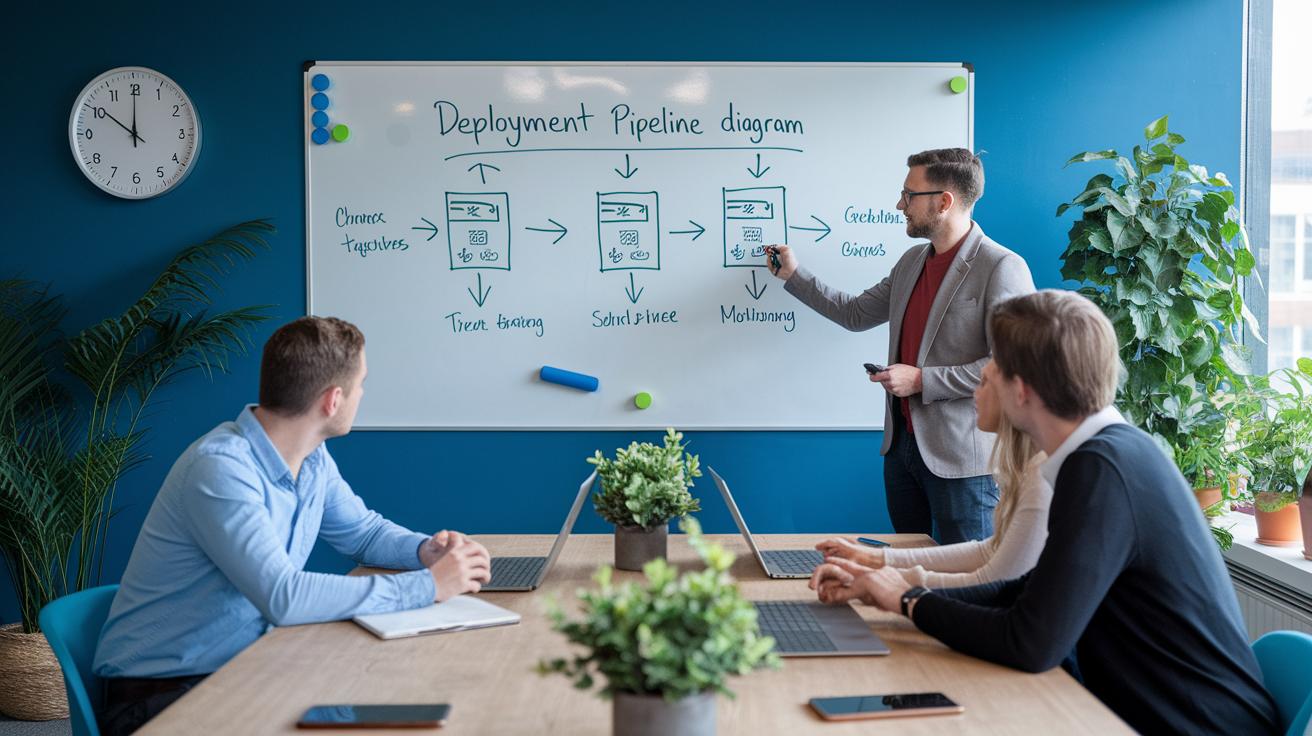

Have you ever wondered how teams roll out software updates reliably every time? Think of it like an assembly line where each step, from submitting code to going live, is automated and verified. This process is achieved by a deployment pipeline, which checks code quality and speeds up delivery. It minimizes human error while keeping up with continuous integration practices. In this guide, we break down every stage, from the initial commit to final monitoring, to show you how all the pieces work together to create a smooth, dependable flow from development to production.
Comprehensive deployment pipeline overview
A deployment pipeline automates the journey of code from version control to production by enforcing a series of quality checkpoints. It minimizes manual mistakes and accelerates delivery for teams that use continuous integration practices. At its core, the pipeline ensures code quality is confirmed through a consistent, step-by-step process. This is especially useful for CI/CD teams that want to reduce delays and ensure consistency across builds and releases.
The pipeline is divided into six essential stages, each adding a safeguard to prevent issues from reaching production. These stages are:
- Commit – Developers push their code changes to repositories like GitHub or GitLab, which automatically triggers the pipeline.
- Build – Tools such as Jenkins or CircleCI compile the source code and create deployable artifacts.
- Testing – Automated tests with frameworks like JUnit or Selenium check functionality and integration to catch issues early.
- Staging – This stage mimics the production environment, ensuring everything is ready for a live rollout.
- Production – Controlled deployment methods are used, whether through canary releases, feature toggles, or blue-green updates.
- Monitoring/Feedback – Systems like Prometheus and the ELK stack track performance and provide rapid feedback to address emerging issues.
By following these steps, teams can release updates faster without compromising on code integrity or system stability. The clear progression, commit, build, testing, staging, production, and monitoring, helps ensure each release is reliable, ultimately speeding up delivery times and enhancing overall efficiency in a DevOps workflow.
Version control and commit stage setup in a deployment pipeline

At the commit stage, developers send updates to repositories like GitHub or GitLab, which automatically triggers the next steps in the release workflow. This stage acts as a kick-off point, ensuring every code change begins its journey through the delivery system with minimal manual input. Using solid version control practices early on lays the groundwork for a smooth, error-free pipeline.
Webhooks or built-in runners immediately start the pipeline with every push. Adopting a branch strategy, using feature branches and merging only after a pull request review, further enforces clear code reviews and maintains consistency. Below is an example YAML snippet that shows how a GitLab CI configuration triggers the commit stage whenever changes are pushed to the develop branch:
stages:
  - commit
commit_job:
  stage: commit
  script:
    - echo "Commit stage triggered"
  only:
    - develop
This configuration makes sure each push to the develop branch automatically sets the process in motion. By integrating these practices, teams can seamlessly merge code changes, cut down on human error, and keep a predictable rhythm for the entire deployment pipeline.
Automated build and artifact generation in a deployment pipeline
Build tools like Jenkins, CircleCI, and GitLab CI turn your source code into ready-to-deploy artifacts. They handle everything from compiling code to managing dependencies (using tools like Maven, Gradle, or npm) and packaging the end product. Once set up correctly, every merge into the master branch automatically triggers a build job that packages your application into versioned JAR files or Docker images, making it easy to integrate into your continuous integration workflow.
Consider a simple Jenkins pipeline as an example. This snippet shows how the build stage works:
pipeline {
  agent any
  stages {
    stage('Build') {
      steps {
        sh 'mvn clean package'
      }
    }
  }
}
Here, the script runs a Maven command that cleans previous builds and packages the application. Tuning build settings and choosing the right artifact repository not only improves build speed but also ensures that artifacts are delivered reliably for later stages, such as testing and deployment. These optimizations help the toolchain resolve the correct versions and dependencies with every merge from the development branch.
By integrating build orchestration into your deployment process, you can speed up software delivery overall. Rapid artifact generation and efficient build pipelines are key to making sure every change in your code is compiled, packaged, and stored consistently to support agile development practices.
Integrating automated testing and quality gates in a deployment pipeline

Start by adding automated tests right from the beginning of your deployment pipeline. Run specific tests at different levels: use unit tests to check individual code components, integration tests to verify that modules interact correctly, and end-to-end tests to simulate actual user workflows. Set up a quality gate that requires at least 80% code coverage and no critical failures, ensuring that only changes meeting these standards move forward.
Each testing phase can be set up as its own job within your continuous integration system. This clear separation helps you quickly identify and isolate issues where they occur. For example, you might configure your pipeline to include:
- Unit tests with frameworks like JUnit or pytest.
- Integration tests using tools such as Spring Test or TestNG.
- End-to-end tests powered by Selenium or Cypress.
Breaking the tests into distinct jobs creates a transparent testing process that’s easy to audit. The quality gate serves as a final checkpoint in the staging environment, ensuring every code change meets the established criteria before reaching production. This integrated approach not only increases code reliability but also improves the overall continuous integration strategy, leading to more stable releases and a solid foundation for future enhancements.
Deployment strategies and staged rollouts in a deployment pipeline
In a blue-green deployment, you run two live environments concurrently. One is your current production system, and the other is set up with a new release. Once you verify that the new version is stable in the standby environment, you shift traffic by updating your load balancer. This approach minimizes downtime and gives you the flexibility to roll back quickly if any issues arise.
Canary releases work by sending a small portion of users to the updated version before rolling it out to everyone. This gradual strategy lets you monitor performance and user behavior in real time. If anything goes wrong, you can pause or roll back the changes without affecting the whole user base. It’s a smart method when continuous feedback is important for maintaining system stability during updates.
Feature toggles allow you to turn features on or off at runtime, which aids in a smooth incremental rollout. For instance, you might configure a Kubernetes deployment like this:
apiVersion: apps/v1
kind: Deployment
metadata:
  name: my-app-green
spec:
  replicas: 3
  template:
    spec:
      containers:
      - image: my-app:v2
This example shows a deployment where the new version is ready to receive traffic. By toggling features, you can gradually expose changes, keeping the option to revert quickly if necessary.
Each of these strategies includes built-in rollback options for rapid recovery. With blue-green setups, you can instantly switch back to the previous environment. In canary deployments, stopping the rollout and reverting feature toggles helps address stability or performance issues promptly.
Continuous monitoring and feedback loops in a deployment pipeline

Once your system is deployed, ongoing monitoring is essential for keeping your pipeline strong. Tools like Prometheus collect important data such as CPU usage, memory consumption, and response time to help you spot issues right away. At the same time, the ELK stack (Elasticsearch, Logstash, and Kibana) gathers logs so you can dig into any errors that occur. For instance, a simple Prometheus alert rule might look like this:
alert: HighErrorRate
expr: rate(http_requests_errors[5m]) > 0.05
Dashboards that display these metrics let teams quickly identify and address performance problems. Reviewing this combined data not only triggers swift responses but also guides adjustments in your pipeline settings. By regularly checking performance figures, you can fine-tune alert limits and improve overall system health, reducing repeated issues over time.
Feedback loops are completed when insights from monitoring lead to direct improvements. Feeding data back from Prometheus and the ELK stack lets teams boost quality and speed up development. This hands-on approach means engineers can quickly modify settings and roll out fixes, creating an automated, self-correcting environment that keeps your pipeline both efficient and reliable.
Best practices and optimization techniques for deployment pipelines
Focus on code quality and streamlined automation to keep your deployment pipelines efficient. Using tools like ESLint (for JavaScript) and SonarQube (for multiple languages) helps catch issues early. Integrate these linters into your CI/CD process so each commit meets quality standards before moving forward.
Infrastructure as Code (IaC, scripting your setup for consistent environments) is crucial. Tools like Terraform or AWS CloudFormation allow you to version, automate, and replicate your infrastructure reliably across all stages. This approach minimizes manual errors, maintains consistency from development through production, and makes it easier to audit and adjust resources as your application evolves.
Regularly monitor your pipeline’s execution times to spot and eliminate bottlenecks. Tracking the duration of each step helps you identify delays. Remove redundant jobs, merge similar tasks, and optimize resource allocation to significantly cut down build and deployment times.
Using an Internal Developer Portal with standardized templates can simplify and unify deployment practices across projects. Additionally, cleaning up unused jobs and purging stale cache artifacts keeps the pipeline lean. These best practices not only speed up execution but also enhance the overall reliability of your deployment workflow.
Final Words
In the action, this post examined a comprehensive deployment pipeline, from version control and automated builds to rigorous testing, staged rollouts, and continuous monitoring. It outlined key steps to ensure your code flows smoothly into production while meeting governance and observability needs.
The guide provided practical examples that accelerate prototypes and solidify production readiness. This approach makes it easier to keep your models running reliably, helping you build a scalable and robust deployment pipeline. Positive steps like these pave the way for consistent and efficient operations.
FAQ
What is a deployment pipeline in Power BI?
The deployment pipeline in Power BI manages the transition of reports, datasets, and dashboards from development to testing and production, reducing manual steps and errors during updates.
What is a Fabric deployment pipeline?
The Fabric deployment pipeline automates the process of moving code or configurations through different environments using Microsoft Fabric’s integrated development tools, ensuring smoother transitions and consistent delivery.
What are some deployment pipeline tools?
Deployment pipeline tools include Jenkins, CircleCI, and GitLab CI. These tools automate code compilation, testing, and artifact generation to accelerate and simplify software delivery.
What is a deployment pipeline example?
A deployment pipeline example consists of six stages—commit, build, testing, staging, production, and monitoring—each ensuring quality checks and reducing errors before code reaches a live environment.
What are the Power BI limitations in a deployment pipeline?
The Power BI deployment pipeline may have limitations with dataset refresh scheduling, environment permissions, and frequency of updates, which can affect how quickly and seamlessly changes are promoted.
What does the deployment pipeline icon represent?
The deployment pipeline icon represents the series of stages in the process, visually indicating progress from code commit through build, testing, staging, and production stages in a streamlined workflow.
What is the Deployment Pipeline in Power Platform?
The Deployment Pipeline for Power Platform automates the promotion of apps, flows, and components between development, test, and production environments, simplifying governance and reducing manual intervention.
What does a deployment pipeline diagram show?
A deployment pipeline diagram visually maps out the stages—commit, build, test, staging, production, and feedback—helping teams understand the flow, dependencies, and critical checkpoints in the release process.
What is a deployment pipeline?
A deployment pipeline is an automated process that moves code from version control to production through several quality checkpoints, including commit, build, testing, staging, production, and monitoring.
What are the four stages of deployment?
Commonly, the four stages of deployment include build, test, staging, and production, where each phase ensures that the code is validated and performs correctly before final release.
What is a CI/CD deployment pipeline?
A CI/CD deployment pipeline integrates continuous integration, which automatically compiles and tests code, with continuous deployment strategies that roll out updates rapidly and safely to production.
What is the difference between a build and deployment pipeline?
The build pipeline focuses on compiling source code and creating artifacts, while the deployment pipeline manages the movement of these artifacts through testing, staging, and production environments for release.